NEVER NEEDS THE INTERNET
Unlike other password managers, Local Password Vault never touches the cloud.
No sync, no telemetry, no hidden connections
Local Password Vault





Use Promo Code - DISCOUNT - for 50% off!

SINGLE USER
$38 $19 Promo
- 1 Device
- Unlimited Passwords
- Lifetime Access
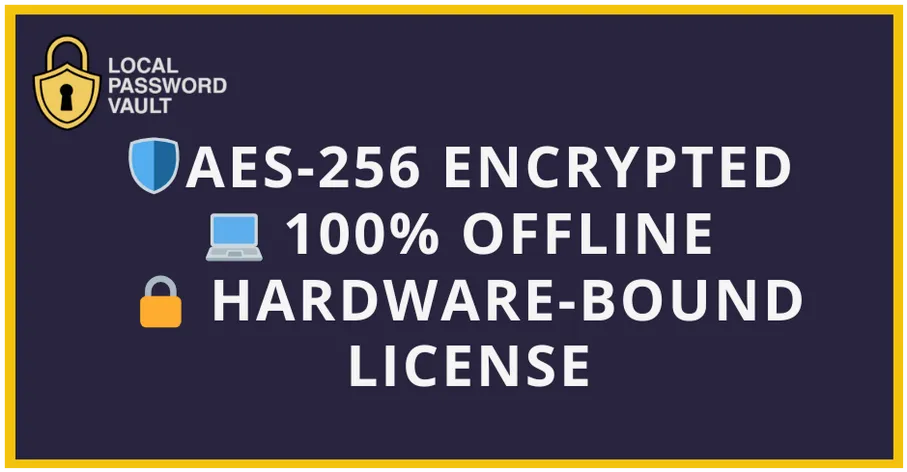
- AES-256 + Argon2id
- Encryption
- Floating Icon


FAMILY / TEAM
$78 $39
- 3 Device
- Unlimited Passwords
- Lifetime Access
- AES-256 + Argon2id
- Encryption
- Floating Icon

Pro
$128 $64
- 6 Device
- Unlimited Passwords
- Lifetime Access
- AES-256 + Argon2id
- Encryption
- Floating Icon

BUSINESS
$198 $99
- 10 Device
- Unlimited Passwords
- Lifetime Access
- AES-256 + Argon2id
- Encryption
- Floating Icon
Password Manager Comparison
This chart compares Local Password Vault (LPV) with other password managers.
It highlights differences in storage model, internet dependence, sync capabilities,
breach history, pricing model, and overall positioning. Use this to clearly show website visitors why
Local Password Vault stands apart.
Product | Storage model | Needs internet | Sync between devices | Pricing model | Typical personal price | Notes |
| Local Password Vault (LPV) | Local only on your device | No | Manual only — To keep Passwords Secure | One-time per license tier | Varies by plan | No servers. No telemetry. 100% local security. |
| 1Password | Company cloud | Yes | Yes | Subscription | $/month | Cloud required. Two-secret key. No local-only mode. |
| Bitwarden | Company cloud | Yes | Yes | Free + Subscription | $/year | Open source. Self-host possible but DIY. |
| Dashlane | Company cloud | Yes | Yes | Subscription | $/month | Cloud only. No offline mode. |
| LastPass | Company cloud | Yes | Yes | Subscription | Varies | Major breach still impacts trust. |
| NordPass | Company cloud | Yes | Yes | Subscription | Varies | Cloud based. Markets XChaCha20 encryption. |
See How Easy It Is to Get Started
Watch a quick demo of Local Password Vault in action — install, set your master password, and secure your data in minutes.
Use Promo Code - DISCOUNT - for 50% off!
Unlike other password managers that charge every year,
your Local Password Vault is yours for life.
Optional support and updates are available,
but not required.
Secure your passwords now—install the vault. Secure with Master Password. Done.








FAQs
How is my data secured?
Local Password Vault protects your vault with AES-256 encryption in GCM mode. Your master password is processed with Argon2id key derivation to resist brute-force and GPU-based attacks. Each vault has a unique salt, making every vault cryptographically independent. The design is zero knowledge: only you know your master password. We never transmit, store, or have access to your vault data.
What happens if I lose my device?
If your device is lost, your vault remains secure. All password entries are encrypted with AES-256 encryption and can only be unlocked with your master password. This ensures your passwords remain protected, even if someone gains access to your device. Your master password is strengthened with Argon2id key derivation and unique salts, making it extremely resistant to brute-force attacks.
Does the app ever connect to the internet?
No. Local Password Vault runs 100% offline. After you download and install the app, everything happens locally on your machine. There are no servers, no telemetry, and no background data sharing.
What platforms are supported?
Local Password Vault runs on Windows, macOS, and Linux. A single license gives you access to the installers for all three platforms.
What is the Floating Icon feature?
The Floating Icon gives you quick access to your vault. It stays available on your desktop so you can copy and paste credentials without reopening the main window every time.
How do I backup and restore my vault?
You can export your vault contents for safekeeping. Currently, the app does not support restoring a vault file directly. Because all data is stored locally on your machine, re-importing is not available yet. We recommend keeping a secure export copy in case you need to access your data outside of the app.
Can I move the vault to another computer?
Yes. You can move your vault to a new computer. The app itself does not currently support importing passwords, so if you export your vault to a file, it cannot be re-imported back into the vault.
What exactly is encrypted and what isn’t?
All vault data — including your stored entries — is encrypted with AES-256. Your master password is processed with Argon2id key derivation and unique salts, which protects it from cracking attempts. Nothing is stored in plain text, and no part of your vault is accessible without your master password.
Can you recover my vault if I forget my password?
No. By design, we cannot recover or reset your vault. Your master password is the only way to unlock your data. Choose a strong but memorable master password and create encrypted backups regularly.
Do I have to pay a subscription?
No. Local Password Vault is sold as a one-time lifetime license. Your license is valid for life on the number of devices included in your plan.
What is the Optional Yearly Add-On (Support + Updates)?
The add-on gives ongoing updates, new features, and priority support after your initial 30-day guarantee period. It’s completely optional. Your one-time license always lets you use the app as it is, forever.
How much does the Yearly Add-On for upgrades cost?
Single license: $18/year
Family license: $28/year
Pro license: $48/year
Business license: $78/year
Do I need the add-on to keep using the app?
No. Your one-time license lets you use Local Password Vault forever. The add-on is only for continued updates and support. Without it, you keep full access to your vault but won’t receive new versions or help beyond the initial 30 days.
Can I add support later?
Yes. You can purchase the yearly add-on at any time after your initial license purchase.
What if I am not satisfied after purchase?
We offer a 30-day money-back guarantee. If Local Password Vault isn’t right for you, contact us within 30 days for a full refund.
How do I get support?
Email support@LocalPasswordVault.com. We typically respond within 24–48 hours.